
How to Integrate AI into Your Existing IT Infrastructure: a practical 2026 guide
Integrating AI into existing IT infrastructure means connecting AI models and AI agents to the data, applications and business processes a company already uses through APIs, connectors, RPA workflows and controlled data-access mechanisms. Start with a specific business process, assess data and integration options, build a controlled pilot project, then scale with security, monitoring and governance. In most cases, AI can be added to the existing stack without replacing applications like CRM or ERP.
1. What does AI integration actually mean?
AI integration is more than adding a chatbot. In an enterprise environment, AI needs access to relevant information, must respect existing permissions and, when authorized, should execute actions in business systems.
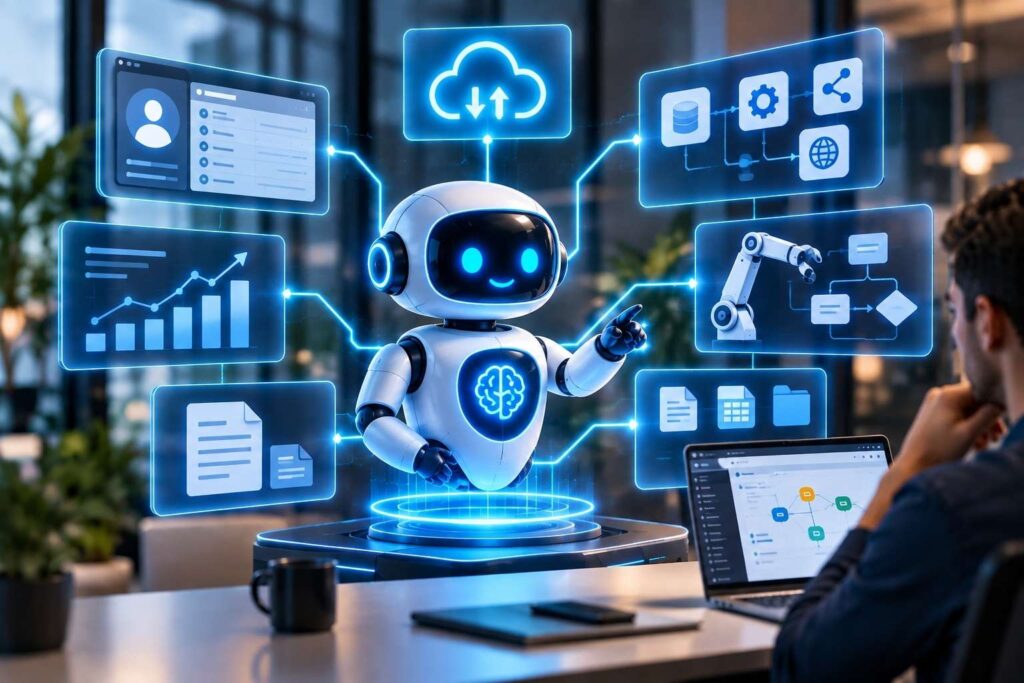
An AI Agent can receive an email request, query an application like CRM and ERP, analyze documents, decide the next step and send the result to the right application. RPA can execute deterministic UI steps, while APIs connect systems directly.
The core principle is: AI should become part of the IT ecosystem, not remain isolated from it.
2. What should you assess before implementation?
- Existing applications: CRM, ERP, DMS, HR, ticketing, email, cloud and others internal applications.
- Data: location, completeness, permissions and formats.
- Integration interfaces: APIs, webhooks, databases, connectors or RPA workflows.
- Processes: high volume, repetitive work, contextual decisions and exceptions.
- Security: identity, roles, least privilege, data classification, audit and retention.
- Business outcomes: time saved, cost, quality, SLA, revenue or customer experience.
3. Architecture: AI + data + systems + people
A robust architecture typically separates the user interface, AI agent/model, data and knowledge layer, integration/tooling layer and enterprise systems. Security, observability and governance should span the entire architecture.
In 2026, mechanisms such as OpenAPI and Model Context Protocol (MCP) are increasingly used to connect agents with data and tools, while enterprise platforms emphasize identity, access control, auditing and centralized agent management.
Technology choices should be driven by the process and risk profile—not by the popularity of a particular AI model.
4. API, RPA, AI Agent or a hybrid approach?
| Method | Best fit | Advantage | Limitation |
|---|---|---|---|
| API / connector | Stable interfaces | Scalable and controlled | Requires an available interface |
| RPA | No API / UI process | Automates existing applications | Sensitive to UI changes |
| AI Agent | Context and decisions | Adaptive and contextual | Needs guardrails |
| Hybrid | Decisions + fixed steps | Flexibility + control | More complex architecture |
5. How do you integrate AI without disrupting operations?
Start with a high-value, manageable-risk use case. Map the current process and define exactly what AI can do autonomously and where human approval is mandatory.
- Pilot one process with measurable KPIs.
- Use a sandbox and controlled data.
- Keep humans in the loop for sensitive or irreversible actions.
- Roll out gradually after validation.
- Monitor cost, latency, errors, accuracy and actions.
- Manage the lifecycle: versions, evaluations, updates and retirement.
Current enterprise guidance recommends connecting agent governance to existing IT, security and compliance structures rather than creating a parallel governance system.
6. Security: what should never be optional
- Least-privilege access.
- Distinct, traceable identities for agents and tools.
- Separate development, testing and production environments.
- Protection of sensitive data and clear retention policies.
- Auditing prompts, queries, tool calls and actions.
- Explicit approval rules for high-risk financial, legal or operational actions.
Risk depends not only on the AI model but also on what the agent can access and execute through connected tools. Connectors, MCP servers, skills and plugins therefore need controlled governance.
7. What does an end-to-end project look like?
1. Discovery
Analyze processes, systems, data and objectives.
2. Feasibility & PoC
Validate technical and economic feasibility on a real use case.
3. Solution Architecture
Define the AI, integrations, data, tools and guardrails.
4. Development & Integration
Build the agent and connect CRM, ERP, APIs, documents or RPA workflows.
5. Testing & UAT
Test scenarios, exceptions, security and performance.
6. Production & Monitoring
Controlled go-live, observability, maintenance and optimization.
8. How should success be measured?
Do not measure only model accuracy. KPIs should connect to the process: processing time, cost per case, automation rate, human intervention, errors, SLA, conversion, satisfaction and ROI.
An agent that produces good answers but does not improve the business process is not automatically a successful implementation.
9. Common mistakes
- Replacing infrastructure before proving value.
- Choosing the AI model before understanding the process.
- Giving agents excessive data or system access.
- No clear business owner and technical owner.
- Launching a pilot without KPIs or Go/No-Go criteria.
- Ignoring monitoring, maintenance and governance after launch.
10. How can ROBORA help?
ROBORA integrates software robots (RPA) and AI Agents into existing IT environments, selecting RPA, AI Agents or a hybrid approach according to the process. Services cover process analysis, feasibility assessment, development and integration, testing, implementation and post-implementation support.
The approach starts from the existing digital ecosystem. For exemple CRM, ERP, web applications, documents, email and other systems can be connected through APIs, connectors or RPA workflows. The objective is to transform processes without assuming that the existing IT infrastructure must be replaced.
Discover your business’s potential for technological integration. Request a free assessment at www.robora.io.
FAQ
Can AI be integrated without replacing the CRM or ERP?
Yes. Depending on the system, APIs, connectors, webhooks, databases or RPA workflows can be used.
How do I connect an AI Agent to an ERP?
Use APIs and connectors where available, and RPA or other controlled mechanisms for UI-based scenarios.
Do AI Agents make RPA unnecessary?
No. They can be complementary: the agent handles interpretation and decisions while RPA executes deterministic steps.
How do I secure an AI Agent?
Use least privilege, identity controls, data policies, auditing, monitoring and approvals for high-risk actions.
Where should a company start?
Choose one measurable, high-impact process, run a controlled pilot and scale after validating results.